How to optimize UGC for meta ads retargeting 2026?
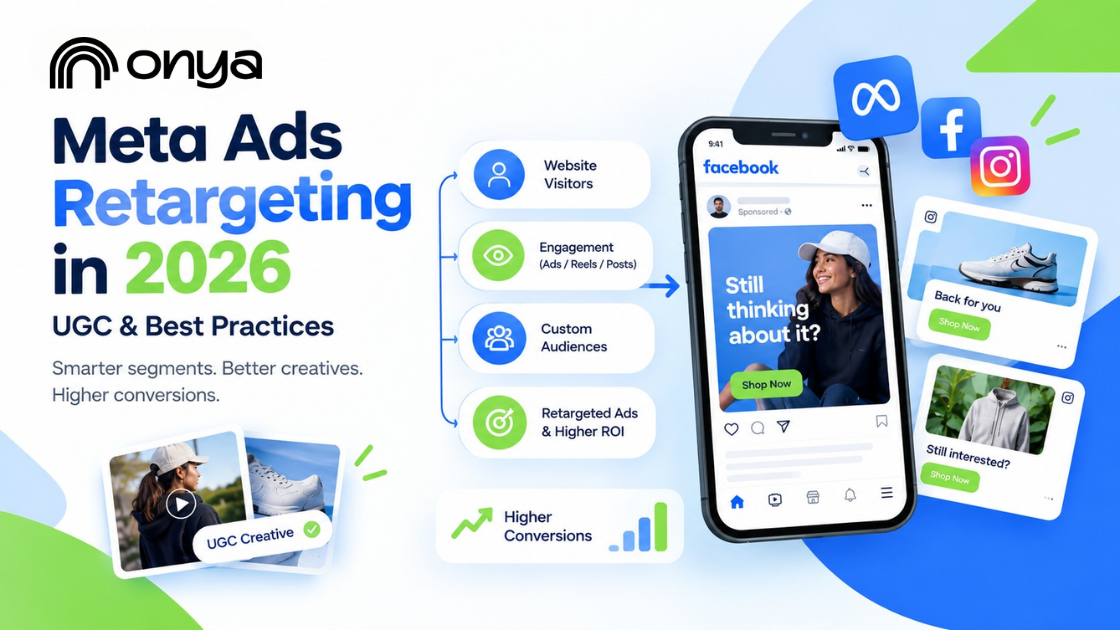
Meta's ad delivery system now treats creative as a relevance signal, not just the audience behind it. A repeated, generic ad loses ground even when the targeting is accurate, because the platform rewards ads that actually resolve something for the specific person seeing them. That's a meaningful shift from how retargeting used to work, and most campaigns haven't caught up to it yet.
At Onya, we manage Meta retargeting across higher education, healthcare, and business clients, and the gap we see most often isn't a budget problem or a platform problem. It's a strategy problem. The same ad running to every past visitor, with no consideration for where that person actually stopped engaging, is where most retargeting spend goes quiet.
This post breaks down what makes Meta ads retargeting work in 2026, from how to segment your audiences correctly to which creative approach fits which stage of the funnel and how to read your results honestly.
Why the Same Retargeting Ad Twice Doesn't Work Anymore
Meta's delivery system reads fatigue in real time. Run the same creative to the same person too many times, and the platform doesn't just get less effective; it actively deprioritizes the ad. Costs climb. Relevance drops. You end up paying more to reach people who already told you, by not converting, that the first version didn't land.
A few signs this is happening in your account:
- Frequency is past 4-5x with no lift in clicks or conversions.
- CPMs are creeping up on an audience that hasn't grown.
- The same creative has run 30+ days with no rotation.
- One ad is going to everyone who visited, regardless of how far they got.
None of this means Meta ad retargeting stopped working. It simply means the strategy behind it hasn't kept up. Retargeting still earns its spot in the funnel — but only when the creative and audience logic change with the person seeing it, not when an ad gets built once and left to run.
How Retargeting with Facebook Ads Works
Meta ad retargeting relies on one core piece of infrastructure: the Meta Pixel, a snippet of code on your website that tracks visitor activity and reports it back to Meta. Without it, you can't build an audience from your website activity.
Here's the sequence:
- Someone visits your site or engages on Facebook or Instagram.
- The Pixel logs that action and sends it to Meta.
- Meta matches it to a user profile.
- Your campaign serves ads to that person next time they're in-feed.
Pixel-only setups are common but increasingly incomplete. Browser blockers and iOS privacy settings mean a chunk of signal never makes it through. Pairing the pixel with the Conversions API closes that gap, since server-side data doesn't rely on the visitor's browser cooperating.
If you're still deciding where to put ad spend in the first place, this breakdown of Google Ads vs Meta Ads covers how the two platforms differ.
How Retargeting Instagram Ads Works
Instagram retargeting uses engagement and website activity to reconnect with people who have already interacted with your brand. Instead of relying only on broad audience targeting, you can build audiences from actions people take across Instagram, Facebook, and your website.
Here’s the basic sequence:
- Someone watches your Reel, interacts with a post, visits your profile, or lands on your website.
- Meta receives signals from that interaction through its platform and tracking tools.
- Those signals can be used to create or update a retargeting audience.
- Your Instagram campaign then delivers relevant ads to people who match your audience criteria.
For example, someone might watch a large portion of a product Reel but leave without visiting your website. You can create an audience around that type of engagement and show them a follow-up ad with more product information or a different creative.
Website visitors can also be retargeted on Instagram when the appropriate Meta tracking and audience setup is in place. The Meta Pixel can send website events to Meta, while the Conversions API can complement browser-based tracking with server-side event data.
The key is to treat Instagram retargeting as a continuation of the customer's first interaction, not simply another opportunity to display the same ad. Someone who watched a Reel, visited a product page, or abandoned a cart may need a different message at each stage.
That makes audience segmentation and creative rotation just as important as the retargeting campaign itself.
Build Retargeting Audiences Around Behavior, Not Channel
Most accounts build one audience: everyone who visited in the last 30 days. That treats a person who reads one page the same as someone who almost converted, and they need completely different ads. Group your audiences by what the person actually did, not which channel they came from:
- Engagement-based — visited your site or watched most of a video, but took no further action. They know you exist; they're not sold yet.
- Intent-based — started something and didn't finish: an abandoned cart, an unfinished application. This is your highest-intent group; they've told you exactly what they want.
- Relationship-based — people you already have data on, email lists, and past customers. Worth prioritizing since first-party data holds up better as tracking degrades, part of why retargeting still earns its place in 2026.
Each group stalled for a different reason, so each needs a different message. That's what makes the next step, matching UGC retargeting ads to the right hook, actually work.
Match the Hook to the Reason They Stalled
The product doesn't need three versions. The first three seconds do. Someone who barely looked needs a different opener than someone who almost bought, and matching that opener to the actual hesitation is what separates UGC that converts from UGC that just adds frequency.
Awareness Hook: For Visitors Who Left Too Early
They saw the ad or landed on the site but never connected it to a problem they actually have. The fix isn't a better product shot; it's leading with the problem itself, in plain language, before the product ever shows up. If the hook doesn't name what they're struggling with, the product looks irrelevant no matter how good it is.
Proof Hook: For Visitors Who Hesitated
Cart abandoners clicked, then talked themselves out of it. Usually it's one unanswered objection: will this actually work for someone like me? Answer it with something concrete, not a general claim:
- A specific timeframe ("after two weeks")
- A specific result, not a vague one
- An unpolished, real moment over a staged one
Decision Hook: For Visitors Who Are Almost Ready
This is someone deep in consideration, not a past buyer. They've viewed pricing, come back more than once, and maybe started a form or cart and stopped. They don't need convincing anymore; they need a reason to stop deliberating: a deadline, a guarantee, or a direct answer to what's still holding them back.
Rotate the opener before the offer. When frequency climbs and results dip, the hook usually goes stale first, not the product or the price.
Meta Ads Retargeting Best Practices: How Often to Refresh UGC Creative?
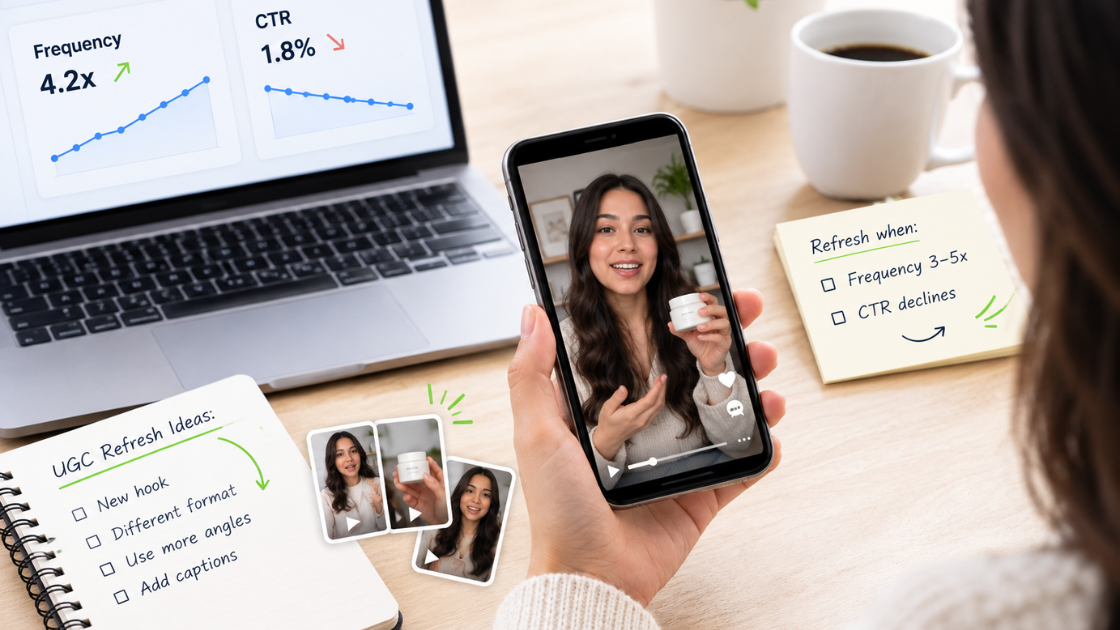
The same clip that converted well two weeks ago starts losing steam the moment your audience has seen it too many times, and leaving it running past that point burns the budget instead of saving it.
Watch performance, not the calendar. Two numbers tell you when it's time to replace a creative:
- Frequency past roughly 3-5x with no lift in clicks or conversions
- CTR declining on a specific asset, not just the campaign average
When both start moving the wrong way, replace the creative, usually every 2-3 weeks for an active retargeting segment, sooner for smaller audiences that see the same ad more often.
Refreshing doesn't always mean a full reshoot. Often the fastest fix is swapping the opening hook or format on existing footage. If you're running low on raw material to pull from, this breakdown of UGC content ideas is a good next stop before you schedule a new shoot.
Formatting UGC for Facebook and Instagram Retargeting
A strong hook still underperforms if the format looks like an ad instead of a Reel. A few non-negotiables for retargeting social media content on Facebook and Instagram:
A few things worth getting right:
- Shoot vertical, 9:16, for Stories and Reels, where most retargeting inventory runs
- Front-load the hook; the first two to three seconds decide whether someone stays.
- Burn in captions, since most Feed and Stories viewing happens with sound off
- Skip the polish; handheld framing and natural lighting read as authentic, which matters more with a warm audience than production value
Facebook and Instagram audiences don't always respond the same way. With retargeting Instagram ads, you'll often see more visual, lifestyle-driven clips perform best, campus life, and product-in-use moments.
When retargeting with Facebook ads, you're often reaching an older or more decision-adjacent audience, parents in a higher-ed context, for example, so slightly more direct, information-forward creative can perform better there. Running the same UGC on both, with small adjustments to pacing or caption tone, tends to outperform picking one platform and skipping the other.
These aren't universal retargeting ads best practices; they're specific to warm audiences who've already seen your brand once and are deciding whether the second look is worth their time.
Are Your UGC Retargeting Ads Actually Working?
Vanity metrics won't tell you if it's actually paying off. Check these at the individual-asset level, not the campaign average:
- Frequency and CTR trend per asset — a declining CTR on one specific clip is your earliest fatigue signal, well before overall cost per result moves.
- Cost per result by audience segment — lumping every stalled visitor into one report hides which segment is actually underperforming.
- Performance by platform — retargeting with Facebook ads and retargeting Instagram ads rarely perform identically, so review them separately.
If none of this is tracked at that level, the honest answer is, "You don't know whether retargeting is working; you just know it's running.
This is usually where teams either build the reporting themselves or bring in someone who already has the system for it. At Onya, matching hooks to funnel stage, formatting for each platform, and reporting on individual assets isn't an add-on; it's the default way we run Meta ads retargeting for every client, higher education, ecommerce, or otherwise.
Conclusion
Retargeting on social media only works when the strategy behind it does. Segment audiences by behavior, match each hook to the reason someone stalled, and refresh creative before fatigue sets in — that's what separates UGC retargeting ads that convert from ones that just add frequency. This discipline applies whether you're running retargeting with Facebook ads, retargeting Instagram ads, or both at once.
Onya is a full-service digital marketing agency that builds this whole system: strategy, creative, platform-specific formatting, and asset-level reporting, not just the retargeting piece. If you want a team that follows retargeting ads best practices end to end, see what Onya can do for your business. Contact us now!
Frequently Asked Questions (FAQs)
What counts as UGC in a Meta retargeting ad?
Content that looks like it's from a real person, not a brand. Think testimonials, honest reviews, or day-in-the-life clips.
How is retargeting different from a regular Meta ad?
Regular ads target people who don't know you yet. Retargeting shows ads only to people who already visited or engaged with your brand.
Can the same UGC clip work on Facebook and Instagram?
Yes, but results differ. Instagram favors lifestyle content, Facebook often does better with more direct messaging.
Do I need a big budget for UGC retargeting ads?
No. Polished, expensive-looking ads often perform worse with a warm audience than something that looks real.
How do I know if my UGC creative needs to be replaced?
Watch frequency and CTR on that specific ad. When frequency rises and CTR drops, it's time to swap it.