Expert insights on digital advertising, strategy, and growth
Marketing Insights
September 17, 2026
How to optimize UGC for meta ads retargeting 2026?
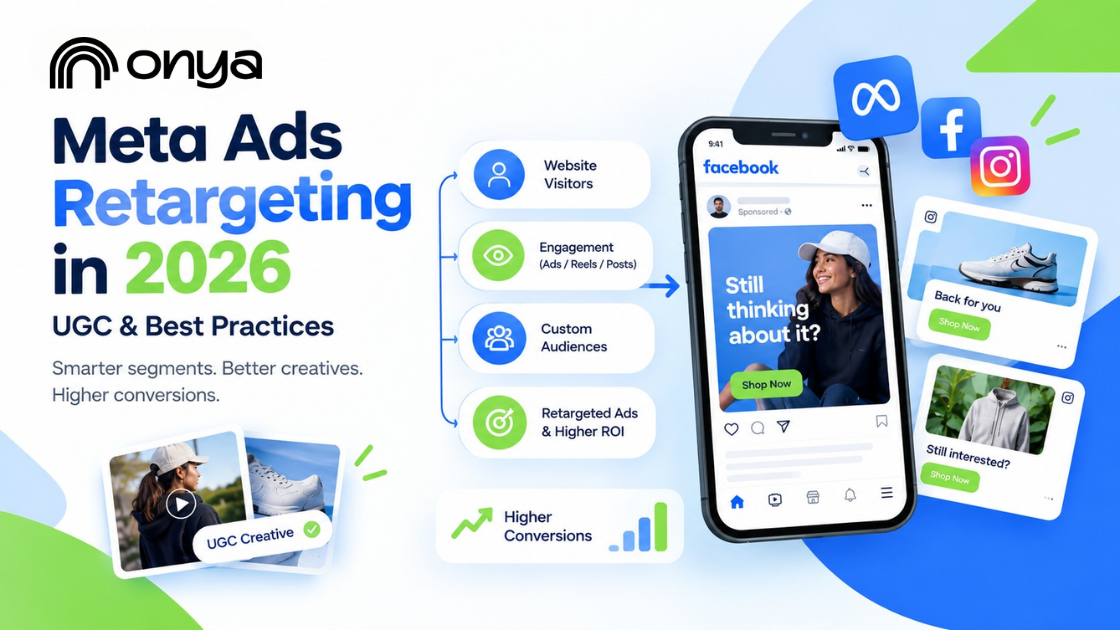
Meta's ad delivery system now treats creative as a relevance signal, not just the audience behind it. A repeated, generic ad loses ground even when the targeting is accurate, because the platform rewards ads that actually resolve something for the specific person seeing them. That's a meaningful shift from how retargeting used to work, and most campaigns haven't caught up to it yet.
At Onya, we manage Meta retargeting across higher education, healthcare, and business clients, and the gap we see most often isn't a budget problem or a platform problem. It's a strategy problem. The same ad running to every past visitor, with no consideration for where that person actually stopped engaging, is where most retargeting spend goes quiet.
This post breaks down what makes Meta ads retargeting work in 2026, from how to segment your audiences correctly to which creative approach fits which stage of the funnel and how to read your results honestly.
Why the Same Retargeting Ad Twice Doesn't Work Anymore
Meta's delivery system reads fatigue in real time. Run the same creative to the same person too many times, and the platform doesn't just get less effective; it actively deprioritizes the ad. Costs climb. Relevance drops. You end up paying more to reach people who already told you, by not converting, that the first version didn't land.
A few signs this is happening in your account:
Frequency is past 4-5x with no lift in clicks or conversions.
CPMs are creeping up on an audience that hasn't grown.
The same creative has run 30+ days with no rotation.
One ad is going to everyone who visited, regardless of how far they got.
None of this means Meta ad retargeting stopped working. It simply means the strategy behind it hasn't kept up. Retargeting still earns its spot in the funnel — but only when the creative and audience logic change with the person seeing it, not when an ad gets built once and left to run.
How Retargeting with Facebook Ads Works
Meta ad retargeting relies on one core piece of infrastructure: the Meta Pixel, a snippet of code on your website that tracks visitor activity and reports it back to Meta. Without it, you can't build an audience from your website activity.
Here's the sequence:
Someone visits your site or engages on Facebook or Instagram.
The Pixel logs that action and sends it to Meta.
Meta matches it to a user profile.
Your campaign serves ads to that person next time they're in-feed.
Pixel-only setups are common but increasingly incomplete. Browser blockers and iOS privacy settings mean a chunk of signal never makes it through. Pairing the pixel with the Conversions API closes that gap, since server-side data doesn't rely on the visitor's browser cooperating.
If you're still deciding where to put ad spend in the first place, this breakdown of Google Ads vs Meta Ads covers how the two platforms differ.
How Retargeting Instagram Ads Works
Instagram retargeting uses engagement and website activity to reconnect with people who have already interacted with your brand. Instead of relying only on broad audience targeting, you can build audiences from actions people take across Instagram, Facebook, and your website.
Here’s the basic sequence:
Someone watches your Reel, interacts with a post, visits your profile, or lands on your website.
Meta receives signals from that interaction through its platform and tracking tools.
Those signals can be used to create or update a retargeting audience.
Your Instagram campaign then delivers relevant ads to people who match your audience criteria.
For example, someone might watch a large portion of a product Reel but leave without visiting your website. You can create an audience around that type of engagement and show them a follow-up ad with more product information or a different creative.
Website visitors can also be retargeted on Instagram when the appropriate Meta tracking and audience setup is in place. The Meta Pixel can send website events to Meta, while the Conversions API can complement browser-based tracking with server-side event data.
The key is to treat Instagram retargeting as a continuation of the customer's first interaction, not simply another opportunity to display the same ad. Someone who watched a Reel, visited a product page, or abandoned a cart may need a different message at each stage.
That makes audience segmentation and creative rotation just as important as the retargeting campaign itself.
Build Retargeting Audiences Around Behavior, Not Channel
Most accounts build one audience: everyone who visited in the last 30 days. That treats a person who reads one page the same as someone who almost converted, and they need completely different ads. Group your audiences by what the person actually did, not which channel they came from:
Engagement-based — visited your site or watched most of a video, but took no further action. They know you exist; they're not sold yet.
Intent-based — started something and didn't finish: an abandoned cart, an unfinished application. This is your highest-intent group; they've told you exactly what they want.
Relationship-based — people you already have data on, email lists, and past customers. Worth prioritizing since first-party data holds up better as tracking degrades, part of why retargeting still earns its place in 2026.
Each group stalled for a different reason, so each needs a different message. That's what makes the next step, matching UGC retargeting ads to the right hook, actually work.
Match the Hook to the Reason They Stalled
The product doesn't need three versions. The first three seconds do. Someone who barely looked needs a different opener than someone who almost bought, and matching that opener to the actual hesitation is what separates UGC that converts from UGC that just adds frequency.
Awareness Hook: For Visitors Who Left Too Early They saw the ad or landed on the site but never connected it to a problem they actually have. The fix isn't a better product shot; it's leading with the problem itself, in plain language, before the product ever shows up. If the hook doesn't name what they're struggling with, the product looks irrelevant no matter how good it is.
Proof Hook: For Visitors Who Hesitated Cart abandoners clicked, then talked themselves out of it. Usually it's one unanswered objection: will this actually work for someone like me? Answer it with something concrete, not a general claim:
A specific timeframe ("after two weeks")
A specific result, not a vague one
An unpolished, real moment over a staged one
Decision Hook: For Visitors Who Are Almost Ready This is someone deep in consideration, not a past buyer. They've viewed pricing, come back more than once, and maybe started a form or cart and stopped. They don't need convincing anymore; they need a reason to stop deliberating: a deadline, a guarantee, or a direct answer to what's still holding them back.
Rotate the opener before the offer. When frequency climbs and results dip, the hook usually goes stale first, not the product or the price.
Meta Ads Retargeting Best Practices: How Often to Refresh UGC Creative?
The same clip that converted well two weeks ago starts losing steam the moment your audience has seen it too many times, and leaving it running past that point burns the budget instead of saving it.
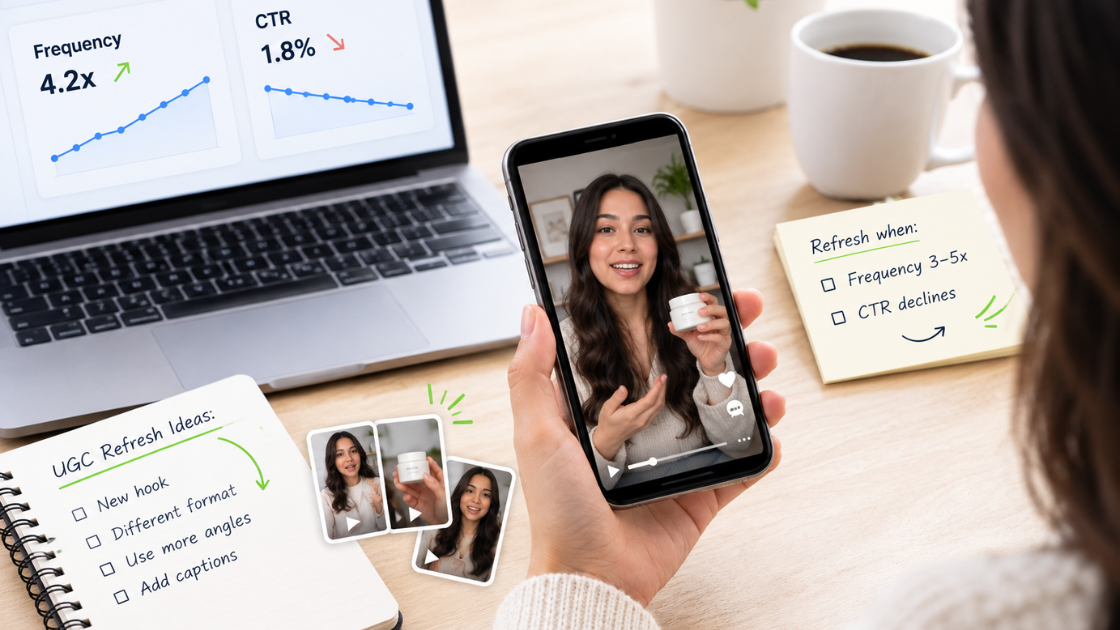
Watch performance, not the calendar. Two numbers tell you when it's time to replace a creative:
Frequency past roughly 3-5x with no lift in clicks or conversions
CTR declining on a specific asset, not just the campaign average
When both start moving the wrong way, replace the creative, usually every 2-3 weeks for an active retargeting segment, sooner for smaller audiences that see the same ad more often.
Refreshing doesn't always mean a full reshoot. Often the fastest fix is swapping the opening hook or format on existing footage. If you're running low on raw material to pull from, this breakdown of UGC content ideas is a good next stop before you schedule a new shoot.
Formatting UGC for Facebook and Instagram Retargeting
A strong hook still underperforms if the format looks like an ad instead of a Reel. A few non-negotiables for retargeting social media content on Facebook and Instagram:
A few things worth getting right:
Shoot vertical, 9:16, for Stories and Reels, where most retargeting inventory runs
Front-load the hook; the first two to three seconds decide whether someone stays.
Burn in captions, since most Feed and Stories viewing happens with sound off
Skip the polish; handheld framing and natural lighting read as authentic, which matters more with a warm audience than production value
Facebook and Instagram audiences don't always respond the same way. With retargeting Instagram ads, you'll often see more visual, lifestyle-driven clips perform best, campus life, and product-in-use moments.
When retargeting with Facebook ads, you're often reaching an older or more decision-adjacent audience, parents in a higher-ed context, for example, so slightly more direct, information-forward creative can perform better there. Running the same UGC on both, with small adjustments to pacing or caption tone, tends to outperform picking one platform and skipping the other.
These aren't universal retargeting ads best practices; they're specific to warm audiences who've already seen your brand once and are deciding whether the second look is worth their time.
Are Your UGC Retargeting Ads Actually Working?
Vanity metrics won't tell you if it's actually paying off. Check these at the individual-asset level, not the campaign average:
Frequency and CTR trend per asset — a declining CTR on one specific clip is your earliest fatigue signal, well before overall cost per result moves.
Cost per result by audience segment — lumping every stalled visitor into one report hides which segment is actually underperforming.
Performance by platform — retargeting with Facebook ads and retargeting Instagram ads rarely perform identically, so review them separately.
If none of this is tracked at that level, the honest answer is, "You don't know whether retargeting is working; you just know it's running.
This is usually where teams either build the reporting themselves or bring in someone who already has the system for it. At Onya, matching hooks to funnel stage, formatting for each platform, and reporting on individual assets isn't an add-on; it's the default way we run Meta ads retargeting for every client, higher education, ecommerce, or otherwise.
Conclusion
Retargeting on social media only works when the strategy behind it does. Segment audiences by behavior, match each hook to the reason someone stalled, and refresh creative before fatigue sets in — that's what separates UGC retargeting ads that convert from ones that just add frequency. This discipline applies whether you're running retargeting with Facebook ads, retargeting Instagram ads, or both at once.
Onya is a full-service digital marketing agency that builds this whole system: strategy, creative, platform-specific formatting, and asset-level reporting, not just the retargeting piece. If you want a team that follows retargeting ads best practices end to end, see what Onya can do for your business. Contact us now!
Frequently Asked Questions (FAQs)
What counts as UGC in a Meta retargeting ad? Content that looks like it's from a real person, not a brand. Think testimonials, honest reviews, or day-in-the-life clips.
How is retargeting different from a regular Meta ad? Regular ads target people who don't know you yet. Retargeting shows ads only to people who already visited or engaged with your brand.
Can the same UGC clip work on Facebook and Instagram? Yes, but results differ. Instagram favors lifestyle content, Facebook often does better with more direct messaging.
Do I need a big budget for UGC retargeting ads? No. Polished, expensive-looking ads often perform worse with a warm audience than something that looks real.
How do I know if my UGC creative needs to be replaced? Watch frequency and CTR on that specific ad. When frequency rises and CTR drops, it's time to swap it.
What's A Buyer Persona And How Can You Use It For Your Business
Trying to depict an ideal customer that fits your business might seem fairly simple. Many more aspects go into the creation of this persona than point-blank. Your buyer persona is a depiction of the ideal customer. It is based on qualitative and quantitative data, market research, and things we know about existing customers.
Learning how to create a good buyer persona can help in many aspects of a business. It can be helpful for product development teams in creating product diagrams to connect to the needs of audiences. Marketing teams also benefit from creating a buyer persona for growth strategies and tactics.
Marketing your business to your ideal buyer is one of the most beneficial uses of creating a buyer persona. While marketing in the past used billboards and newspapers not being able to curate their advertisements to a certain type of person, we’re in a new era where we’re able to share our business with a generalized group of people.
How To Create A Buyer Persona
The basics- you’ll want to make some basic assumptions about your persona such as their gender, age, location, family status, level of education, level of income, and you can even come up with a name. You can find this information from existing customer profiles, analytics teams/tools as well as market research.
Professional status- give the persona a job title, industry, and job level (manager, professional, specialist, etc.). You can find this data from existing customer interviews or site forms as well as internal teams like sales, customer support, etc.
Psychographics- Write down the type of professional goals your persona has as well as personal goals. Along with this, you would want to write down some beliefs and values your persona has. These can be found through interviews, Q&A, and more.
Influences- What does your buyer spend most of their time on… Instagram, Facebook, Twitter, etc.? What influencers and events does your buyer follow along with?
Purchasing process- You must know the type of buyer you’re selling to. Do they buy an item quickly, or do extensive research before purchasing a product? Are they committed to the brands they buy from and will they stick around? It’s also important to know what will keep your buyer from buying your product.
The hardest part of creating your buyer persona is finding out where to get this information to be able to create the most accurate and reliable model possible. This can be done by creating polls for your customers to fill out. Interviews are another great way to gain information from your customers and can be given through email or in person. It can even help to give incentives to the people that share their ideas such as gift cards, early access, and deals on new products.
If you want a successful business you must need a buyer persona. Learning how to make accurate buyer personas is a good skill to grow a business and the more accurate the persona, the more helpful it’ll be to market your products. Learning what information your persona must include as well as where to find it is extremely important in marketing to your customers and will be beneficial in the future of your business. Now that you have the blueprint, it’s time to go make that buyer persona!
Spontaneity can be thrilling. Throwing your hands up in the air and letting the chips fall is sometimes the perfect attitude. An impromptu road trip to find the best fish tacos on the East Coast? Count me in. An unexpected midday trip to the spa for massage and mani/pedi? Sure. I can even understand the reasons behind a Vegas elopement. But blindly believing in a marketing campaign without a marketing strategy? Not today.
I bet you’re like, “Duh. Of course you need a marketing strategy,” and we’ll be like, “Yeah, but do you know why you need a marketing strategy?” For those who don’t—and even for those who do—what follows are the top reasons why fully developed marketing strategies carry some serious weight and why you should consider it now.
It speaks directly to your target audience
Every business knows how to talk about its products and services, and goes on and on about how great they are. Unfortunately, that’s not what your audience wants to hear. They want to know what problems you can solve for them and how your work will make their life easier.
To tell them this, you have to first understand what’s going on in their world. Your marketing strategy has this information. Accurate buyer personas are one of the most important features of a strategy, and within marketing more generally. Pinning down your audience and learning how to communicate with them directly will increase the likelihood of selling to them.
You can stop spending money in the wrong places
When you don’t have a clear plan in place, it’s tempting to just spend a little here and there on one-off campaigns. It’s the ‘let’s give it a go and see what happens’ approach to marketing. And more often than not, it’s a complete waste of time and money.
Successful marketing is about building up a recognizable, trusted brand. It’s about consistent, regular communications that get your messages heard. Throwing money at a Facebook advertisement one month and an email campaign the next is not going to get these results.
Having a defined marketing strategy prevents wasted efforts. It makes sure your budget is planned and allocated effectively. Each campaign is aligned with your overall objectives and designed to get results in both the short and long term.
It keeps your activity consistent and relevant
From your main tagline to the hashtags you use on Twitter, every piece of information you publish should be immediately recognizable as belonging to your brand. It should also be relevant and interesting to your customers and prospects.
With a marketing strategy, this is achievable because you’ve outlined your audience and what concerns them, and you know exactly how to engage with them and on which platforms.
Let’s say you create an email aimed at a particular buyer persona. Your strategy tells you which pain points and benefits to focus on, making sure the subject line, headings, copy, images, and call-to-action buttons are relevant. This, in turn, keeps your activity consistent.
It sets objectives for measuring ROI
When there’s no clear direction, we flounder. This is a typical outcome of non-strategic marketing activity. You might see some results here and there, but if you haven’t set any clear goals, how can you measure your return on investment?
Focus activity on a set of defined objectives. For instance, you might decide you want to grow a following on Twitter or Instagram. Perhaps you want to use e-marketing to cross-sell to current customers. Or maybe you want to reach the first page of the search results for your key terms. Whatever your goals, writing them into your strategy is the first step towards achieving them.
The best way to really do this is to set SMART goals:
Specific
Measurable
Attainable
Realistic
Time-Bound
It’s a reference point
With multiple channels to consider (web, social, paid, search, etc.) and various target personas to reach, there’s plenty to factor into your marketing plan. No one should be expected to keep this information in their head! That’s where your strategy comes in.
For new employees or the people tasked with producing your marketing outputs, the strategy document forms the basis of their knowledge. It’s a point of reference, an in-depth guide, and it provides the initial building blocks of all your activity.
Equally, if the sales department or another team approaches you with an idea for a campaign, you can reference your strategy to check whether it’s relevant. You should also regularly monitor your competitors' marketing campaigns to understand industry trends, identify new opportunities, and ensure your strategy remains competitive. If it doesn’t line up, then you have the means to explain why the idea isn’t worthwhile.
If your company doesn’t have a defined marketing strategy, you may still see some results. However, these are likely to be sporadic and could dry up if the industry changes or a new competitor comes to market. Instead, you should be proactively bringing new leads into the business through regular marketing activity. It’s the only way to build your brand and protect it from external factors.
Equally, if you have a strategy but it’s outdated, or your business or market has undergone significant change since its creation, it’s most likely redundant. It’s important to revisit your marketing strategy every couple of years to make sure you’re still headed in the right direction.
It’s entirely possible to create your own marketing strategy, but the process is made more productive by working with a marketing expert or digital agency like Onya to guide you and ask difficult questions. We help supplement the information you provide with market research and our experience with other businesses like yours. Rather than struggling with the details on your own, you have a team to do the work. Reach out today if you would like to learn more about how we can implement a strategy that moves the needle!
How to Write Good Instagram Captions: 8 Tips for Perfecting Your Copy
Instagram marketing is all about the visuals. The quality of your photos/videos will be the differentiating factor for a lot of things. Stand out when it comes to getting users interested in your brand. Let them know what your brand is about, and show off the human side of your business.
The caption of your post is where you can give a voice to that visual content. A good Instagram caption explains what the photo is about. It also tells your followers to take action, or cracks a joke. Both ways make your content all the more delightful and shareable.
Captions should not be an afterthought. Don't lose out on an opportunity to engage and delight your followers in ways you can’t with just a visual. Here are some tips to help you write better Instagram captions.
1. Write Several Drafts
Ever thought of the perfect joke after it was a little too late to tell it? We’ve all had a similar feeling when we come up with the perfect Instagram caption once we’ve already published the post. Don’t rush the process. Instead, write a few ideas for captions down, sit on them for a bit, poll coworkers on which one is best, and take your time.
You might be asking yourself at this point, “But aren’t timeliness and chronology important on Instagram?” They can be, depending on the subject of your post. But thanks to the Instagram feed algorithm change, the level of engagement your posts receive matters more than chronology.
That’s why it’s important to take your time constructing a great caption that’ll keep your followers around, delight them enough to share with their friends, and encourage them to engage with your content.
2. Front-load Important Stuff
The maximum character count for an Instagram caption is basically a formality. The important thing to note is that captions are cut off in users’ feeds after three to four lines of text. That doesn’t mean you should keep your captions super short so users can see 100% of it without having to click “more.” Instead, front load your captions with the important content or text calls-to-action — and leave any hashtags, @mentions, or extraneous information for the end.
3. Include a Call-to-Action
The best way to increase the share potential of your Instagram post and engage your followers is to have some sort of call-to-action in the captions of your photos. That means using action verbs to prompt people to do something, instead of just passively scrolling by. We found that verbs generate more shares on Twitter than nouns and adjectives — the same can be true for Instagram.
For example, you might say, “Double-tap if you find this funny” or “Share your story in the comments.”
Here are a few other action-based ideas to get you started:
Ask a question - Encourage people to comment with their own experiences. You might be able to draw on these experiences to shape your Instagram strategy moving forward, or to develop new content ideas.
Direct people to a link in your bio - Clickable URLs aren’t allowed anywhere except the single “website” box in your bio. That’s why optimized Instagram profiles update that URL frequently to point to their latest blog content, YouTube videos, products, or offers — and then refer to that link in their Instagram captions.
Invite people to tag their friends - Encourage your followers to share your post with friends by inviting them to tag their friends. Here are a few examples of fun, clever ways brands have asked followers to tag friends.
Invite people to enter a contest - Contests are great for increasing engagement and brand exposure on Instagram. Simply invite people to post their own pictures and tag them in the caption using a hashtag. Consider including the contest’s official rules in your caption for folks who are interested and even a link in your bio.
4. Limit Yourself to Four Hashtags
On Instagram, a hashtag behaves the same way as it does on Twitter and Facebook: It ties the conversations of different users into one stream. As long as your account is public, anyone who does a search for that hashtag may find your Instagram post. They’re also a great way to add some fun and coy humor to your posts
However, use hashtags sparingly. Some Instagram users include a string of searchable hashtags as a way to get more followers — but the fact is, it looks spammy to the followers you do have. If you use a ton of hashtags, people will notice, and they will think it’s lame. And remember, you don’t have to include any at all if you don’t want to. You don’t need a hashtag to have an awesome Instagram caption.
Pro tip: Need inspiration for a hashtag that’s already popular? Instagram will suggest hashtags to you based on their popularity when you open up a new post and type out the # symbol followed by an incomplete search.
5. Combine Brand Voice with Instagram’s Lighthearted Tone
Every social network has a different tone that works best. While serious, jargon-heavy copy may work well on LinkedIn, that same copy won’t work as well on Instagram. The best Instagram posts tend to have a lighthearted, fun tone, showing off the more authentic, human, and personable side of a brand.
That’s why you’ll want to adapt your brand voice for Instagram’s more lighthearted tone. This’ll be easier for brands whose brand voices are already lighthearted and fun. For others with a more serious brand voice, find a balance between sincerity and relatability.
6. Use Emojis ?
Emojis, the cartoon-like emoticons available to most smartphone users, can add some personality to an Instagram caption. That’s why a lot of brands use them in their captions. There are a lot of different ways to use emojis in your posts. For example, you can use them at the beginning of a post to catch people’s eye. You can also use them in the middle of sentences to replace words or at the end of a post as a sort of “punchline”.
7. Cross-Promote Your Other Social Channels
You can also use your caption to cross-promote your other social media accounts. This is a great way to let your followers know where else on social media they can find you — so that your Instagram followers can become your Twitter followers, your Facebook fans, your Snapchat audience, and so on.
8. When in Doubt, Keep it Brief
Depending on your audience, your captions might need to be longer than a few words or a sentence. For example, if you’re a food company, you might post entire recipes in your captions — and that’s Ok, as long as you’re front-loading the caption with the most important information (like the name of the recipe) so it doesn’t get cut off.
If you’re not sure what your brand voice is yet, a good rule of thumb is to keep it brief. Some of the best Instagram captions are short punchlines, or in some way make their point quickly and let the visual content do most of the talking.
Getting lost when it comes to knowing how to shape your content for social media in a way that drives business? We can help! Contact Onya today and we will help you get started!
Which Social Media Platforms are Best for Advertising
Every year there’s more reason to invest in social media. New networks are rising in popularity and companies are announcing new features, tools, and apps. Especially considering the integration of eCommerce into social media activity, making it an integral piece of any digital strategy. There are many networks to choose from, so deciding which one to invest in requires careful planning and evaluation of the strengths and limitations of each.
Lucky for you, we did the work to determine which platforms are the best to invest in. At a high level, these are the best Social Media Platforms networks to invest your ad money in 2023:
Facebook
Instagram
Pinterest
LinkedIn
YouTube
FACEBOOK
Considered the daddy of all social networks − with over 2.7 billion users, Facebook provides massive reach to the most diverse audience on the internet. The chances of reaching your ideal customer are huge no matter how niche or specialized your business is.
However, as a result of this popularity, the competition and CPMs will be higher on Facebook than on other platforms. Set clear goals for your ads, supported by a data-driven strategy. This will help you stay on top. For most, we recommend taking advantage of Facebook’s audience targeting capabilities to make sure your ads reach the right users.
Facebook offers a diverse range of ad placements and formats:
Carousel Ads These consist of multiple images in a series that users can scroll through. They work best for displaying products that have more than one visual component.
Slideshow Ads A great substitute if you don’t have any video assets. They are made up of 3 to four images that cycle in one ad.
Collection Ads Full-screen format and best for promoting a product line or a series of merchandise.
Facebook Dynamic Ads Customized ads through machine learning that allow you to reach your desired audience.
Facebook Instant Experiences These comprise multiple media formats, including one video, a series of images, and text. Its multi-media composition, speedy load times and interactive UX delivers a brand experience you can’t really get anywhere else.
INSTAGRAM
This platform is owned by Facebook and has many of the same benefits and capabilities. It has extensive reach, a wealth of data to reach the right type of user, and is the fastest growing of all the networks with a younger target audience.
Instagram is all about compelling visuals. Users show more interest in user-generated content and digital media compared to Facebook, where direct communication is favored. Images posted on Instagram get 23% higher engagement rates than on Facebook.
Also, Instagram differentiates itself from Facebook with Instagram Stories which are a series of short narratives displayed in photos and videos. The 15-second run time is ideal for keeping users engaged. Users can participate in audience polls, provide feedback with instant emojis and chat stickers, and shop for products by simply swiping up or tapping on a tagged product.
You can also advertise in the “Explore” area of the Instagram homepage. This is a great option for those that want to get in front of people looking for new brands to follow. The Explore ad links to the advertisement post on the brand’s page where the user can access the brand website or make a purchase directly through the Instagram shopping app.
PINTEREST
Pinterest is unique among social platforms because its users are mostly going there to discover new products, and they respond well to ads. It offers a mix of free and paid advertising tools, and combining both can earn you 3x more conversions and twice the ROI on your ad spend, versus paid ads alone.
Pinterest has 5 advertising types:
Promoted Pin Promoted Pins appear in users’ feeds like a regular Pin, except they have a “promoted” tag attached to them. When you run ads, you’ll boost your Pin’s exposure and reach people most interested in what you offer. Since people can Pin these posts to their boards and share them with friends, you can get in front of an even wider audience.
Promoted Carousel This format is one of the Pinterest ad options where you can have more than one photo. These ads also appear like regular Pins, except they have dots along the bottom to indicate multiple photos in a Pin. With Promoted Carousel ads, each card on the slide can feature a unique image, title, description, and landing page. It makes it easy for you to promote multiple similar products in one place, so people can see all you offer.
Promoted Video Pins The only difference between this ad option and the others is that the multimedia used is a video. When users come across your Promoted Video Pins, the ads will automatically start playing once they’re halfway into the user’s view. These ads don’t have sound, so you need to catch your audience’s attention and get the point across with just your video.
Promoted App Pins As the name suggests, you can use these pins to promote your business’s app. With this ad type, you set up a Pin that links to your app in the app store. When users click the Pin, it takes them directly to your app’s listing in the device’s app store and invites them to download it.
Buyable Pins These Pins enable people to shop straight from the Pins you post. On these posts, users will see white dots highlighting different products in your Pin picture. They can then click on these dots and visit your page where you have the product listing.
LINKEDIN
With over 500 million members, LinkedIn is the most popular professional network. Its high-value audience and career-minded users make it an essential channel for B2B brands. What sets it apart from other social networks is that users are more likely to update their profile information. This means that data used to target audiences is more reliable and accurate.
LinkedIn enables some of the most granular targeting available on the web, so you can narrow your audience down to the exact decision-maker or buyer. You can target by location, job title, industry, company, demographics, education, employment history, or interests. With LinkedIn’s Matched Audiences, brands can target users from uploaded contact lists or create audiences based on interactions with their social content or website.
Here are the available ad options for LinkedIn:
Message Ads achieve impressive engagement rates because of the direct placement inside users’ inboxes. Since this is a direct communication technique, we recommend serving this to individuals who are already aware of your company.
Text Ads are exactly what they sound like–ads consisting of hyperlinked text to the brand’s website with a brief description and a company logo or other image next to it.
Newsfeed Ads are standard sponsored ads with a native look and feel. They appear on the feed like organic posts.
Dynamic Ads automatically pull users’ profile information to personalize and contextualize the messaging, creating effective one-to-one communication. Ads with users’ profile pictures, names, and job titles will certainly grab some attention.
YOUTUBE
YouTube is the world’s second-largest search engine and social network with 2 billion active monthly users. It’s also the largest video-sharing platform to date. Since YouTube ads are not usually a direct response tactic, you may not see a monetary impact right away. But, if your video ads are clever and create emotional connections with consumers, YouTube can be the most effective method to generate a positive brand image.
YouTube offers TrueView, Pre-Roll, and Bumper ad placements:
TrueView is an ideal placement if you are looking for inexpensive ways to generate site traffic. YouTube only charges for impressions that result in a click or a video view. There are two types of TrueView ads:
In-stream ads are skippable ads played before a video begins. Make sure to show the most enticing part of the ad in the first five seconds since the viewer can skip the ad after 5 seconds. This type of ad charges for each view longer than thirty seconds or for any CTA clicks.
Discovery ads appear in search results on the YouTube home page or as a related video on the right-hand side menu where recommended videos appear. These charges per video click.
Pre-roll ads are non-skippable videos played before, during, or after a selected YouTube video plays, and are generally 15 - 20 seconds long. You are charged per click for this type of ad, guaranteeing a base level of engagement from your ad spend.
Bumper ads are six-second non-skippable ads played before a YouTube video. These ads have the shortest duration available. You can use this space to summarize the main selling points of your campaign in just a few seconds with guaranteed views.
Taking a closer look at these different social networks should help you understand which network is best for your business objectives. Remember that each platform requires its own dedicated strategy. An ad created for Facebook won’t work in quite the same way on LinkedIn. Everyone consumes information differently and each platform reveals its own insights into user behavior.
Onya is always here to lend our expertise in paid social strategies. Contact us today and get started!
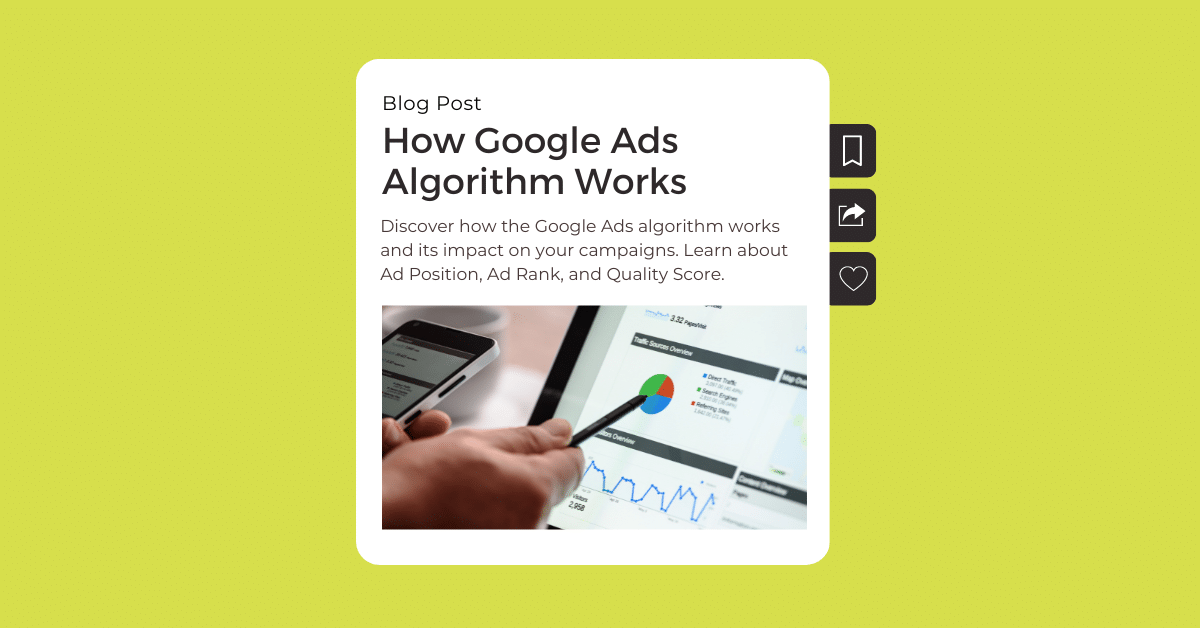
Google Ads is one of the best options for gaining traffic and customers for your business online. This is true if (and only if) your ads are well-positioned on search engine result pages and for your keywords of interest. If that’s the case, how do you get Google Ads to work for you and your business? It’s all about the Google Ads algorithm. In reality, Google uses hundreds of algorithms to work its magic. Here are a few key algorithms that every person running Google advertising campaigns should know:
Ad Position
Ad Rank
Quality Score
Google Algorithm is Big….Really Big.
Have you ever thought about how massive Google advertising really is? Google has to sort through billions of websites and content to find the most relevant and useful search results – all in just a few seconds – and present the results in the exact way that the searcher is expecting.
The search algorithms look at information and factors relating to things like:
The meaning of your query
The relevance of web pages
The quality of the content
The usability of web pages
The context and settings
This shows that it’s not just a single factor that affects Google’s algorithms. There are many factors touching all aspects of your web pages, content, and keywords. Keyword identification and optimization are of particular importance since keywords are the basis of each and every search query.
More importantly, there’s not a single “trick” that you can use to try to hack Google’s algorithms because it gets regular updates. Therefore, it’s essential for your marketing team to have a good grasp of the latest updates about how Google Ads works. Make timely adjustments by learning about the updates and adjust your campaigns accordingly. More importantly, it would help if you didn’t focus on trying to beat the algorithms. Instead, understand them and create truly great ad campaigns that speak to your potential customers.
Let’s get one step closer to that goal and start by understanding the main Google algorithms: Ad Position, Ad Rank, and Quality Score.
Ad Position
According to Google, “Ad position is the order of your ad in the auction results as compared to other ads. For example, a “1” ad position means an ad was the first shown, with no other ads ahead of it.”
Google goes on to explain that an ad with a position of “1” doesn’t mean your ad is above the organic search results. If the layout of the page features paid ads above organic results, then a #1 ad position would be the first to appear there or the first to appear below or beside the organic results.
On a Google SERP, ad position can affect your ad's location on the page. Your ad can appear at the top, side, or bottom of the page. Prominence metrics will give you a greater sense of your ads’ location on SERPs. The top metrics include impression rate/share and lost share. A couple of ways to improve these metrics include improving ad/landing page quality and increasing your bid.
The better your ad position, the higher the chance that searchers will see and click on your ad. And how do you get a high ad position? This is where the second Google Ads algorithm comes into play: Ad Rank.
Ad Rank
Google calculates the Ad Rank for ads in the ad auction, and your rank directly translates to your Ad Position. With an Ad auction, anytime a user performs a Google search, Google runs an auction for clicks. To participate in the auction, you bid on your keywords of interest. The auction decides which ads will be shown for that search.
At a high level, Google takes these factors into account when determining Ad Rank:
Bid: Maximum amount you’re willing to pay for a click on your ad.
Ad and landing page quality: Helpfulness of ads and landing pages as determined by the Quality Score.
Ad Rank threshold: Quality thresholds set by Google in order to show an ad.
Ad auction competitiveness: Difference in Ad Rank between you and other bidders.
Search context: Whether the ad is relevant to the search terms, location, device, other search results, etc.
Expected impact of ad extensions and format: Google’s measurement of the expected performance impact of any ad extensions and other ad formats.
Quality Score
This is one of the most subjective metrics on Google Ads and deals with the quality of your Google ad campaigns. Quality is important because Google’s goal is to give searchers exactly what they’re looking for. What’s more, if your Quality Score is too low, your ad might not even be eligible for the ad auction.
Quality Score is measured as a number from 1 to 10. 1 being the lowest and 10 being the highest. This is comprised of three elements:
Expected Click-through Rate Based on the historical CTR of keywords, ads, ad extensions, formats, campaigns, and more. Your CTR gives you an idea of how keywords and ads are performing. A high CTR means users find your campaigns useful and relevant.
Ad relevance Google’s main goal is to figure out how relevant your ad is to the search query, so keywords are of the greatest importance here. It also looks at cohesion between keywords, ad copy, and landing page copy.
Landing page experience This analyzes how easy-to-use, helpful, and high-quality your landing page is in terms of page loading time, navigation, content, etc.
Though this is the final portion of the overall algorithm, the effects of Quality Score can be felt all the way at the top, as it can lead to lower costs, better ad position, and better performance.
These three components or individual algorithms are individual but all connected and impact your use of Google Ads. You can’t improve your Ad Position without looking into your Ad Rank, and you can’t improve your Ad Rank without understanding your Quality Score.
Above all, these must be combined with the intention to create high-quality content for potential customers. Only then will you get Google Ads to work successfully for your advertising campaigns. It’s a lot of work, but it’s well worth the effort. Confused about where to begin? Interested in perfecting your online campaigns? Get in touch with us here at Onya today!
One question we receive quite a bit from clients is which digital marketing platforms they should be using to attract new clients or customers to their business. Inevitably clients ask us: Should I use Google Ads? In this article, we will review the main differences between promoting your company on Google Ads and some things to consider before deciding what direction you should go.
How Do Google Ads Work?
With Google Ads, your prospective customer or client is seeking YOU out vs. you seeking them out. If someone goes to Google to search for a kitchen remodeling company, that person has already pre-qualified themself. They are “actively” searching for a kitchen remodeling company – which could be you (or your competitors).
Why Google Ads Are Worth It
We all know that Google is the most popular and widely used search engine. With 1.2 trillion queries per year, 3.5 billion users daily, and 40,000 searches per second, it’s safe to say Google Ads offers a virtually unlimited number of opportunities for marketers looking to increase brand awareness and sales. Google search provides an unparalleled potential audience who is actively looking for your products, services, and content. And, results are split across three networks… search, display, and video.
Google Ads are worth it because they provide a cost-effective way for businesses of all sizes to reach a virtually unlimited, targeted audience. They’re extremely flexible and you can start, stop, pause, or even adjust your bids at any time.
The pay-per-performance pricing model is a tremendous advantage for small businesses with a tight marketing budget. And, having the ability to focus on long-tail, niche, and local keywords allows you to avoid competing with big brands that have huge advertising budgets.
Although these niche and local keywords may not receive as many clicks as broader terms, they’re much more effective for driving conversions, and that’s what really matters at the end of the day.
When to Use Google Ads - Defined Search Demand
If your business or the products or services you provide have a definitive search volume on Google, then Google Ads is typically a very good option for you. Meaning, there is search demand for your product or service. You can then purchase ads at the top of the search results to drive targeted traffic for users that are seeking you out already. Sign me up, right?!
The key with Google Ads is to conduct your research and find out if people are in fact searching for your product or service online. Conduct keyword research to determine the types of phrases being used and the associated volume of searches being done. This will help you understand the potential audience you can get in front of today. If there isn’t much search volume being done for your product or service, then Google Ads may not be a good fit for you.
Most times this happens when a company has a new product or service that the general public isn’t aware of yet. We’ve worked with many clients that innovate and come up with a new product or service line that no one is aware of yet. If no one is searching for it, then Google Ads are typically not a good fit and you should look to other platforms like paid social media platforms – think Facebook/Instagram Ads or even LinkedIn Ads.
Bottom Line: Use Google Ads for search demand for your products/services and to seek out people actively searching for you, not you searching for them.
At Onya, online advertising must be meticulously managed and maintained in order to see the results you need and expect. Looking for more guidance on how to leverage Google Ads for your business? Give us a call today! We would love to chat more about the difference they’ve made for others and the difference they can make for you.
What They Have in Common, How They Differ, and Which One You Need
Whether you’re just getting started with your social media accounts, or want to evolve your strategy, it’s important to know how and when to implement paid and organic social media. After all, you want to get the most bang for your buck.
So what’s the difference between paid and organic social?
Paid Social Media
This is when you pay money to have your brand appear more on social media, whether it’s boosting or advertising. Boosting is when you put money behind an existing post so that it is seen by more people, and is a quick and easy way to extend your reach. Paid social advertising is paying money to run ads on social media, separate from what’s on your actual feed.
There are two things paid social media always has behind it: money and an objective. Social Advertising allows you to track the return on your investment, which is key for performance and growth.
It’s able to unlock a level of engagement and response you would never achieve otherwise. We’ve had some clients so inundated with responses to paid social we had to turn off the ad so they could catch up!
Organic Social Media
This is when a business uses the free tools of social media to reach its audience in a natural, cost-free way. A brand might share a photo or a special offer, and the Social Media post will simply reach who it reaches, however, the algorithm chooses to prioritize it. Unfortunately for businesses, this is happening less and less.
Organic social media is your feed, which means it needs to be looking its absolute best. This is how most people will uncover more about your business—by scrolling through your posts. Having a consistent, engaging, on-brand feed positions your business as premium and trustworthy.
Using some social media planning tools can help manage your future posts and plan your organic strategy. There are many things to consider to have your organic social media up to scratch, including responding to comments and the times you post.
You can grow your business quite substantially purely through organic social. Lots of content, over time, will mean you attract followers and engagement.
The Comparison
The obvious thing that paid and organic social media have in common is that they both appear in social media feeds.
Generally, organic is about brand awareness, and paid is about performing, although of course, both can do both.
Unlike paid social, with organic, you’ll never reach a point of knowing “if I do X, I will achieve X”.
Which Should I Use?
If you’re going to put effort into your social media strategy, why wouldn’t you go in armed with all the information you can get?
Some businesses simply cannot afford high social spending. Although perhaps they would make room in the budget if they understood just how true the saying is, “you have to spend money to make money”. This isn’t just in relation to conversions but also tracking data to evolve your strategy. In short, paid social is absolutely worth it.
Large followings are important for a brand, so frequent high-quality organic content is integral. Often hiring an expert to manage this side of it is the way to go as it can be time-consuming and you don’t want to be lost in the algorithm.
It’s important to remember you can mix it up. It might be a good idea to invest more money in your social media when you’re running a promotion or ramping up your marketing before the festive season.
Ultimately, both are necessary. We won’t deny that managing both can be time-consuming and requires a strategy to gain the best results.
That’s why we recommend leaving both organic and paid to the people who know how to make the most of it: the people at Onya! Reach out today to talk and learn more!
4 Tips for Optimizing Facebook Lookalike Audiences (and Common Questions We Receive)
In a previous post, Facebook Lookalike Audiences is a sophisticated matchmaker between your brand and new fans — and a powerful advertising tool. It allows you to tailor content and ads directly to the people who will be most likely to consume it.
As a reminder, a Facebook Lookalike Audience is a custom advertising audience that can be used to reach people similar to your current customers.
We spent last time looking at the practical side of how to set these audiences up on Facebook. Now, let’s take some time to focus on optimization!
1. Choose high-quality sources
It can be tempting to put every customer you have into your source audience. Larger audiences are the best, right? Not really.
Lookalike Audiences are more similar to their source audience tend to be more valuable. However, the results can vary dramatically depending on the quality of your audience.
For example, you may want to put your entire email subscriber list to find a Lookalike Audience. But it won’t necessarily translate into sales if most of your email subscribers don’t purchase or even open your emails. Instead, you would create a higher quality Lookalike Audience if you only put active email subscribers as your source audience.
2. Optimize bids with A/B testing
You can create multiple Lookalike Audiences with ranging similarities to your source audience. This is a strategic method to find your most effective audience.
To begin, you should do A/B testing. Target the same ad to each of your Lookalike Audiences with initial bids. You can evaluate how well the ad did based on metrics like revenue per conversion or the lifetime value of each audience.
Once you’ve analyzed what is your best-performing Lookalike Audience, you can modify your bids for each audience. You can start bidding more for valuable audiences and less for lower-performing audiences.
It’s a win-win because you can stretch your social media ad budget for your more effective audiences while ensuring you are reaching your ideal customer.
3. Use Lookalike Audiences in combination with other parameters
Enhance your lookalike audience targeting by adding more targeting parameters such as age, gender, or interests. Fairly straightforward tip, but can yield many different results!
4. Get creative with your source audience
You can create custom audiences around a variety of parameters. Start by evaluating your campaign goals, and then drill down to the most relevant audience options.
Ideas for source audience include:
Video audience: If you’re launching a video-based campaign, create an audience based on people who have engaged with your videos in the past.
Recent website visitors: All website visitors may be too broad of a list, especially if conversions are your objective. Target people who have visited your website in the past 30 days, or visitors who have put something in their cart.
Email audience: Newsletter subscribers are interested in receiving news and deals about your business. Use this audience to get more subscribers, or if you’re planning a campaign with similar content.
Common FAQs on Lookalike Audiences
What is the difference between a custom audience and a lookalike audience?
The difference between a Custom Audience and a Lookalike Audience is based on if there is a pre-existing relationship or not. A Custom Audience is based on people who already have a relationship with your business, while Lookalike Audiences are people who share characteristics with your Custom Audience but don’t know about your brand.
How many people do you need for a lookalike audience?
You need at least 100 people for a Lookalike Audience as long as they are all from the same country. If your source audience is based in multiple countries, you need at least 100 people from the same country to use it as a Lookalike Audience. Facebook generally recommends a source audience between 1,000-5,000 people.
How long does it take a lookalike audience to populate?
It takes between six and 24 hours for your Lookalike Audience to populate. Once your lookalike audience is created, it will appear as Ready in the Availability column. As long as your target ads with that specific lookalike audience, it will refresh every 3-7 days.
Looking to dedicate some time to working with lookalike audiences but don’t know where to start? Book a consultation with Onya today!
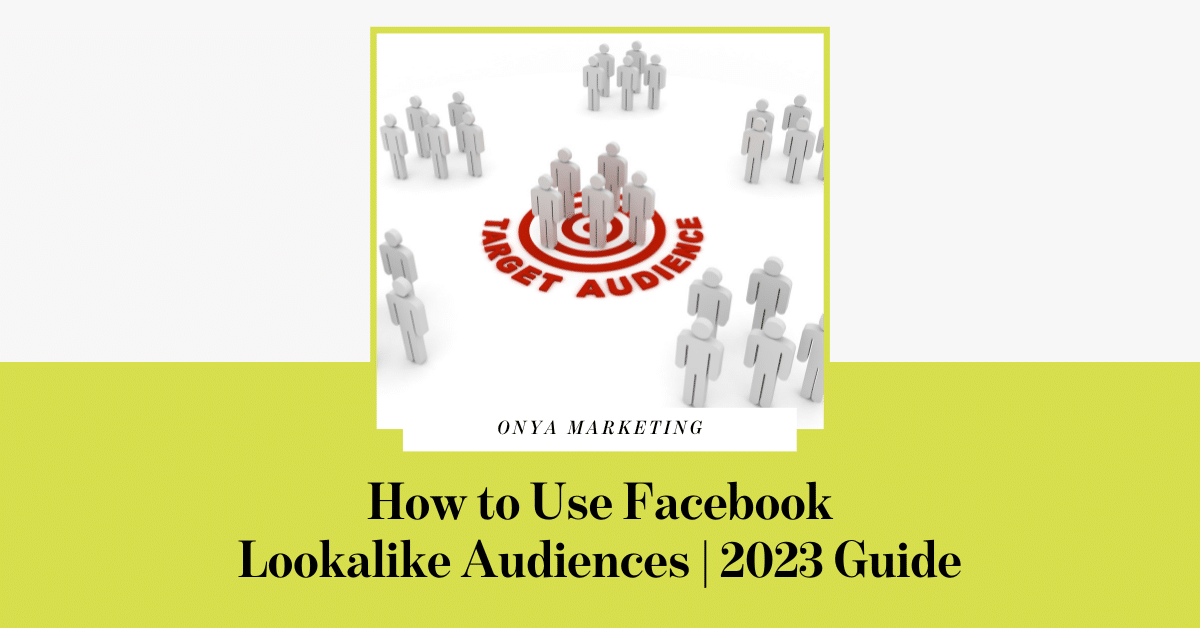
Facebook Lookalike Audiences is a sophisticated matchmaker between your brand and new fans — and a powerful advertising tool. You tell Facebook the characteristics of your favorite customers, and Facebook recommends a new target audience filled with prospects that meet your criteria.
Ready to find the audience of your dreams? Read on to learn how to create a Lookalike Audience for your Facebook ads, plus Optimizing Facebook tips that will help you find the best match.
What is a lookalike audience on Facebook?
A Facebook Lookalike Audience is a custom advertising audience that can be used to reach people similar to your current customers.
How are Facebook Lookalike Audiences created?
Facebook’s advertising system takes an existing audience, identifies its key characteristics (like behavior and interests), and then finds similar audiences sharing those traits.
You can pair Lookalike Audiences with other ad targeting parameters, such as age and gender or interests and behaviors.
Benefits of Facebook Lookalike Audiences
People in a Lookalike Audience are more likely to engage with your content than the general public, which makes this type of ad targeting particularly valuable. Here are other reasons to choose Lookalike Audiences over other types of ad targeting on Facebook:
Easier to find high-quality leads. You can reach new people outside of your customer list with Lookalike Audiences. But not just any person on Facebook – you are specifically targeting people who share similar characteristics to your top customers. This means they are more likely to be interested in your ad.
More value on ad spend. Experimentation is necessary for social media ads, but no one wants to spend more money to find their top-performing ad. With Lookalike Audiences, you can test multiple audiences at once without needing to create several campaigns.
Saves you time. Lookalike Audiences make it easy to find audiences interested in your ad without additional work on your end. If you already have an existing audience, then you can use it to find Lookalike Audiences.
How to use Facebook Lookalike Audiences
Before you even begin creating a Facebook Lookalike Audience, you’ll need to create a Custom Audience first. Then Facebook will use the Custom Audience to create your personalized Lookalike Audience. These are the basic steps to create a Custom Audience:
Prepare your customer list in advance by creating a CSV or TXT file. You may also want to install Meta Pixel on your website to track visitors.
Go to Audiences within your Ad Manager.
Choose a Custom Audience source. Your options include website, app activity, catalog, customer list, and offline activity.
Follow the instructions to create your Custom Audience based on the source you chose in Step 3.
Once you’ve created your Custom Audience, you can use it to set up a Lookalike Audience. Here are the steps to create a Facebook Lookalike Audience:
Select Create a Lookalike Audience within the Ad Manager.
Choose your source. Remember, this will be a custom audience you’ve created from customer information, Pixel or app data, or fans of your page. You can also create a new source at this point.
Note: Your source audiences need to contain at least 100 people from the same country. Facebook also generally recommends a source audience that has between 1,000-5,000 people, but high-quality sources take priority.
Select the countries or regions you would like to find a similar group of people. The areas you choose will determine where people in your Lookalike Audience are based, essentially adding a geo-filter onto your Lookalike Audience.
Note: You don’t have to have anyone from the country you want to target in your source.
Choose your desired audience size with the slide. Size is expressed on a scale of 1-10. Smaller numbers have a high similarity to your source audience. Meanwhile, larger numbers have higher reach but less similar characteristics. Facebook will provide you with an estimated reach for the size you choose. You can also create multiple Lookalike Audiences with different levels of similarity to your source.
Click Create Audience. And you’re all set! It can take between six and 24 hours for your Lookalike Audience to be finished.
Looking for ways to then optimize these lookalike audiences? Stay tuned for our next email soon on 4 ways to optimize lookalike audiences!
Don’t want to wait that long? Onya has a team of experts who know these processes well and can provide you with proof of immense success for others like you. Give us a call today to learn more!